Discover top HomeKit Secure Video cameras that integrate seamlessly with Apple devices. This guide targets homeowners seeking reliable, privacy-minded security with native HomeKit support. The selections below are best for different needs: outdoor all-weather monitoring, indoor nanny or pet monitoring, 4K clarity, and budget-friendly no-subscription options. The summary table below helps you compare core traits at a glance.
Product Quick Reference
| Product | Best For | Key Benefit | Water/Privacy Notes |
|---|---|---|---|
| Aqara G100 (White) | Outdoor/Indoor, All-Weather | 2K clarity with color night vision | IP65; App-based features vary by Aqara app |
| eufy SoloCam E42 | All-Weather, No Subscriptions | 4K recording without monthly fees | IP67; HomeKit compatible |
| Eve Cam | Privacy-Centric HomeKit User | HomeKit Secure Video only, end-to-end encryption | Indoor use |
| eufy 4K Indoor Camera E30 (2-Pack) | Indoor, Wide Coverage | 4K, Pan/Tilt, AI Auto Tracking | No subscription required |
| eufy 4K Indoor Camera E30 (Single) | Indoor, Flexible Setup | 4K, Pan/Tilt, AI Human/Pet Detection | Works with HomeKit |
Aqara G100 White — 2K Indoor/Outdoor, HomeKit Secure Video
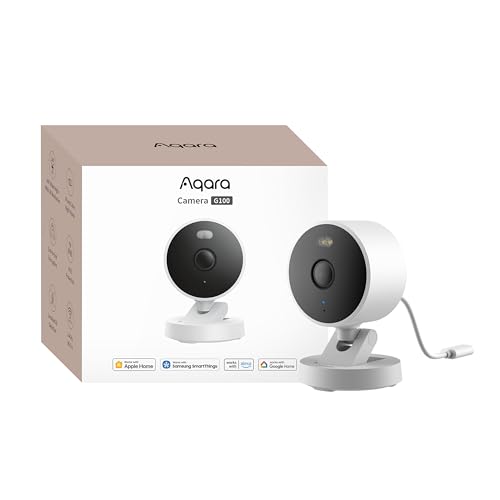
The Aqara G100 offers 2K clarity with a 140° field of view and supports HomeKit Secure Video. It provides two night vision modes: Spotlight Color Night Vision and IR Detection. IP65 weather resistance makes it suitable for outdoor placement, while a robust AI ecosystem enables local and cloud-based detection. 2-way audio is supported through Aqara’s app. Best for: homeowners who want outdoor-ready security with HomeKit integration and flexible night-vision options. Caution: features like Spotlight and IR may require manual enabling in the app and do not auto-activate.
Who this is best for
- Homeowners needing outdoor security with HomeKit support.
- Users who want color-night recording for better nighttime detail.
Why it was selected
- Strong HomeKit Secure Video compatibility and broad smart home integration.
- Rugged IP65 housing supports outdoor mounting and weather resistance.
- 2K resolution balances detail with bandwidth and storage considerations.
Limitations
- Spotlight and IR modes require manual activation; no automatic switching.
eufy Security 4K Indoor Camera E30 — No Subscription, 360° Pan/Tilt

The E30 4K indoor model features 360° panoramic view and AI-powered auto-tracking. It supports two-way audio and color night vision, with options that favor indoor monitoring for families, pets, or nanny scenarios. It is designed for seamless HomeKit integration. Best for: indoor monitoring where complete room coverage and intelligent tracking matter. Caution: while it offers robust AI detection, the data privacy stance is determined by app settings and HomeKit configuration.
Who this is best for
- Families needing comprehensive indoor coverage with smart tracking.
- Apple users who want HomeKit Secure Video support and no monthly fees.
Why it was selected
- 4K video quality for crisp indoor footage.
- 360° pan/tilt provides broad room coverage without multiple cameras.
Limitations
- Indoor-only placement may not replace dedicated exterior cameras.
eufy Security 4K Indoor Camera E30 — 2-Pack, No Monthly Fees
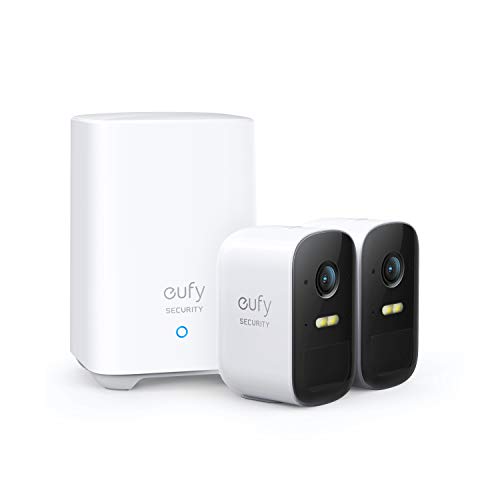
This 2-pack of E30 cameras delivers 4K clarity with 360° panoramas and AI-driven tracking for rooms that require broad coverage and reliable facial or motion detection. The system is designed to minimize blind spots and support two-way audio for real-time interaction. Best for: households wanting multiple indoor cameras with HomeKit compatibility while avoiding ongoing subscription costs. Caution: the multi-camera setup may require careful network planning to maintain performance.
Aqara G100 Black — Indoor/Outdoor, HomeKit Secure Video

The Black version of the Aqara G100 mirrors the white model with 2K clarity, 140° field of view, and IP65 protection for flexible placement. It supports similar local and cloud AI detection features and is designed for users who want an outdoor-ready option with HomeKit integration. Best for: users who prefer a less conspicuous device color or a second outdoor-ready camera. Caution: as with the white version, some advanced features require app-based enabling and may involve a subscription for expanded cloud recognition.
Eve Cam — HomeKit Secure Video Indoor Camera

The Eve Cam emphasizes privacy with exclusive HomeKit Secure Video support and end-to-end encryption. Designed for indoor use, it streams securely to Apple devices and offers motion-triggered notifications plus person/pet differentiation within HomeKit. Best for: Apple-focused homes prioritizing strong privacy protections. Caution: Eve Cam is primarily indoor-focused and relies on Apple’s HomeKit ecosystem for data handling and video storage.
eufy SoloCam E42 — 4K, No Monthly Fees, HomeKit

The SoloCam E42 combines 4K recording with on-device AI and a weatherproof build. It supports HomeKit and operates without monthly fees, a key selling point for budget-conscious buyers. Best for: outdoor or porch monitoring where a stand-alone, subscription-free option is desired. Caution: ensure your network can sustain 4K streams if you deploy multiple outdoor cameras.
Buying Guide: Key Purchase Considerations
When choosing a HomeKit-compatible security camera, consider these practical factors to match your home setup and privacy preferences.
- HomeKit Secure Video support: Confirm compatibility with Apple’s HomeKit Secure Video to ensure end-to-end encryption and private storage options within the Apple ecosystem.
- Indoor vs. outdoor use: Indoor cameras are ideal for nurseries and living rooms; outdoor models should feature weather resistance (IP ratings) for all-season reliability.
- Video quality and field of view: 4K can deliver detailed evidence but requires more storage and bandwidth; 2K or 1080p may suffice for standard monitoring. A wide FOV reduces blind spots.
- AI features: Look for human/pet detection, smart tracking, and event tagging. Local processing helps with privacy and reduces cloud reliance.
- Power and connectivity: Evaluate wired vs. wireless options, battery life, and Wi‑Fi robustness in outdoor areas. Consider models with Power over Ethernet (if available) or solar options for remote placements.
- Subscription requirements: Some cameras offer cloud services for advanced recognition; others are fully functional with no monthly fees. Clarify what is included and what requires paid plans.
- Privacy controls: Check presence of physical camera shutters, robust encryption, and clear data handling policies to protect household privacy.
- Installation footprint: Pan/tilt capabilities and mounting options influence how many units you need to cover the space effectively.
FAQ
- Do HomeKit cameras require iCloud storage?
Not always. Some cameras store locally via HomeKit Secure Video; others offer optional cloud storage with subscriptions. Check each model’s configuration options. - Can I use multiple HomeKit cameras from different brands in one setup?
Yes. HomeKit supports multiple cameras across brands, but integration quality may vary by device and app ecosystem. - Are there privacy concerns with cloud-based AI on HomeKit cameras?
Cloud AI can enhance recognition but may raise privacy considerations. Prefer devices with local AI processing when possible for sensitive footage. - What’s the difference between 2K and 4K for home security?
4K offers greater detail at longer viewing distances but uses more storage and bandwidth; 2K provides a balance of detail and efficiency for most homes. - Which cameras are best for outdoor use with HomeKit?
Models with IP65/IP67 ratings (weatherproof) and robust night-vision options are ideal for outdoor deployment. - Do all HomeKit cameras support two-way audio?
Most do, but verify per model. Two-way audio is essential for real-time communication with visitors or family.