If you’re digitizing film negatives and slides, you want high resolution, straightforward workflow, and broad format support. This guide reviews five top options that focus on high-quality scans, easy operation, and USB or SD card storage—ideal for hobbyists, amateur archivists, and educators who want sharp digital copies without complex setups. Each product is evaluated for its best use case, including who should consider it and why. The following table summarizes key details to help you compare quickly.
| Product | Brand | Type | Storage/Output |
|---|---|---|---|
| DIGITNOW! 135 Film Negative Scanner | DIGITNOW | Standalone Film/Slide Scanner | SD Card up to 32GB, JPEG |
| BEONEGLOBAL ClearScan S5 | BEONE GLOBAL | 5” LCD Film/Slide Scanner | JPEG up to 24MP |
| BEONEGLOBAL ClearScan P5 | BEONE GLOBAL | Film & Slide Scanner | SD Card, JPEG up to 24MP |
| Eyesen Slide Viewer Light Box | OIXXAF | Light Box for Viewing/Scanning | USB powered, brightness control |
| Suceem 22MP Film and Slide Scanner (22MP) | Suceem | Film & Slide Scanner with LCD | Built-in 16GB storage, JPEG |
DIGITNOW! 135 Film Negative Scanner

Best for fast, standalone digitization without a computer. This model offers 1800 DPI high resolution, a 5/10 megapixel sensor, and an adjustable rapid slide feeder. It saves JPEGs directly to an SD card (up to 32GB) or a computer via USB. The device supports converting film and slides to digital files while enabling simple copying or duplication with a click. Use this if you want a compact, no-software-needed workflow for family photo collections or classroom archives.
Limitation to note: performance depends on the slide feeder alignment; misfeeds can require manual adjustment. The built-in scanner is best for standard 35mm film and slides rather than very large formats.
BEONEGLOBAL ClearScan S5 Film Scanner

Best for designers and archivists who want large, clear previews. The S5 features a 5-inch LCD, high-resolution scans up to 24MP with a 1/2.3” CMOS sensor, and an ergonomic front-panel control layout. It’s purpose-built for film scanning, delivering detailed color accuracy and quick previews before saving. Choose this if you prefer a dedicated scanning experience with a bright display to verify results on the spot.
Caution: the higher-resolution output may require longer processing times for large batches. This unit excels with 135, 126, 110, and Super 8 formats but may be less convenient for immediate on-device editing compared to models with built-in editing features.
BEONEGLOBAL ClearScan P5

Best for a compact, user-friendly upgrade with reliable 24MP scans. The P5 offers an upgraded interface, a 5-inch LCD, and a CMOS sensor designed to preserve detail and color accuracy. It’s suited for users who want quick JPEG conversion with a straightforward workflow and a comfortable control layout that minimizes hand strain during operation.
Limitation: the device emphasizes JPEG conversion; if you need RAW workflow or extensive on-device editing, you may rely on external software after transfer.
Eyesen Slide Viewer Light Box

Best for affordable, low-glare backlighting with basic scanning-ready capability. This ultra-thin light pad supports simultaneous viewing and scanning of multiple slides and negatives. It features three brightness levels (10000–12000K color temperature) and a USB power source, plus a free app option for converting slides and negatives to digital images. This is suitable for hobbyists who need a simple, portable light source to inspect or digitize smaller batches.
Limitation: built-in scanning is basic; for high-volume or high-detail scanning, a dedicated scanner with higher megapixel output is preferable.
Suceem 22MP Film and Slide Scanner
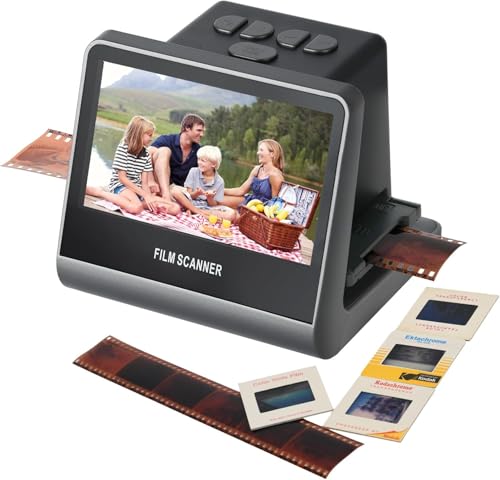
Best for built-in storage and all-in-one convenience. The Suceem 22MP scanner provides 16GB of built-in storage, a 5-inch LCD, and fast JPEG conversion for 35mm, 126, 110, and Super 8 film types. Its quick-load technology supports continuous scanning, and enhanced editing features allow color and brightness adjustments directly on the device. This model suits users who want a compact, self-contained scanner with immediate on-device viewing and saving.
Caution: relying on built-in storage means you may run out of space sooner; plan for external storage if you have large batches to digitize.
Buying Guide
- What resolution do you need? If you require fine detail for archiving, prioritize models offering 24MP or higher and good color fidelity, like the S5 or P5.
- Do you want a standalone device or one that integrates with a computer? Standalone units (SD card output) are simple, while computer-connected models can enable advanced editing workflows.
- Which film formats will you scan most? Choose a scanner that explicitly supports 135, 126, 110, and Super 8 if you have a diverse collection; some models specialize in 35mm only.
- Is a large LCD preview important? A 5-inch LCD helps review images before saving, reducing wasted scans.
- Storage considerations: built-in memory or SD card capacity matters for batch scanning. Plan card size according to how many images you expect to digitize at once.
- Ease of use: ergonomic controls and intuitive interfaces reduce setup time, especially for occasional users or educators.
FAQ
- Q: Can these scanners work without a computer?
A: Yes, several models support SD card storage and USB power, enabling standalone use. - Q: What film formats are supported?
A: Most models here handle 35mm (135), as well as 126, 110, and sometimes Super 8; check each product’s listed formats. - Q: Do these scanners edit photos on-device?
A: Some offer basic on-device editing or color adjustments; more detailed editing typically requires computer software. - Q: How much storage do I need?
A: It depends on image resolution and batch size. Higher MP scans consume more space; plan SD cards accordingly. - Q: Are built-in screens necessary?
A: An LCD makes reviewing scans easier, but is not strictly required if you plan to transfer to a computer for review. - Q: Which model is best for beginners?
A: The BEONEGLOBAL P5 or S5 provide straightforward interfaces and reliable 24MP output, suitable for first-time users.