If you’re evaluating police or security badge programs, you want reliable on‑demand card printing that’s secure, easy to manage, and quick to deploy. This guide highlights five ID card printers and bundles that are well suited for law enforcement needs, including single and dual‑sided printing, beginner software, and tamper‑resistant options. It’s designed for buyers seeking high‑quality plastic badges, templates, and on‑site production capabilities.
| Product | Best For |
|---|---|
| Badgy100 Plastic Card Printer with Badge Studio | Small departments or precincts needing on‑demand, color badges with a library of templates |
| Magicard 300 Dual Sided ID Card Printer | Medium teams needing front and back printing with included supplies and software |
| Magicard Pronto100 Single Sided ID Card Printer | Budget‑conscious units that require single‑sided printing with standard bundles |
| Cardholdir ID Easy Badges Solid 210 | Beginner kits with simple setup and software for quick badge creation |
| ID Zone Solid 210‑SE | All‑in‑one starter packages with cloud software and included cards |
Badgy100 Plastic Card Printer with Badge Studio

The Badgy100 is a compact, color card printer designed for on‑demand badge production. It is best for small police units or campus security teams that need fast, high‑resolution plastic cards with a ready web template library. The included Badge Studio software supports custom designs that can reflect department branding and security needs. This option is preferable when you want quick replacements for lost or stolen badges and less dependence on external print shops.
Best for: Small departments or community policing teams that require color, on‑demand badges with simple templates. Better for: quick badge replacements and templated designs. Choose this if: you value a straightforward workflow and offline template access. Caution: may require ongoing software templates and limited third‑party integration.
Magicard 300 Dual Sided ID Card Printer
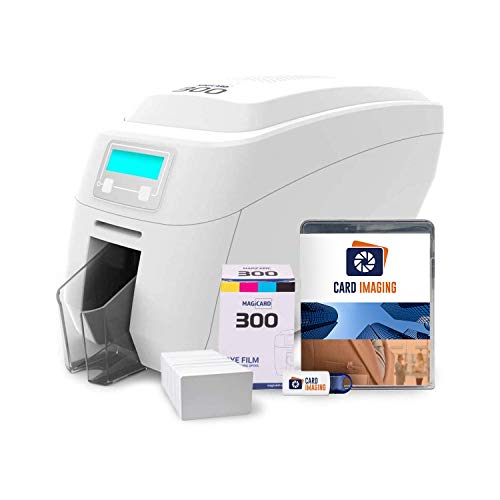
The Magicard 300 Dual Sided printer is a robust option for agencies needing front‑ and back‑side printing with a bundled design software and supplies. The kit includes color ribbons, PVC cards, and access to Card Imaging software for badge customization. It is well suited for departments that require more complex ID cards, such as dual‑sided visuals and higher volume outputs. A caution is that dual‑sided printing can double the printing time per badge compared with single‑sided models.
Best for: medium teams that need durable, dual‑sided badges and integrated software. Better for: organizations seeking a complete bundle with hardware, software, and supplies. Choose this if: you anticipate multi‑design requirements and higher badge quality. Caution: setup and maintenance may require more technical support than simpler single‑sided units.
Magicard Pronto100 Single Sided ID Card Printer
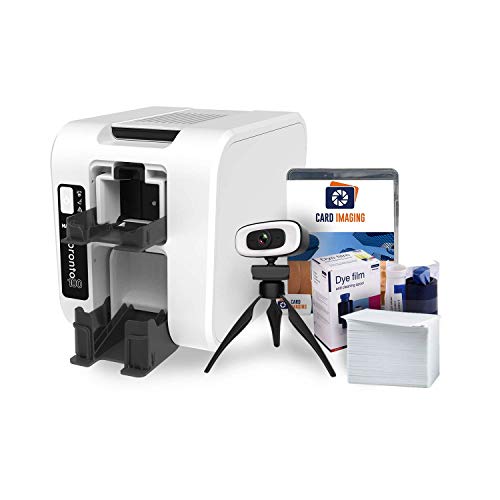
The Pronto100 focuses on simplicity and affordability with single‑sided printing. It ships with a basic set of supplies and Card Imaging software, making it a suitable starting point for smaller precincts or units starting a badge program. Its straightforward design streamlines staff training and daily operation. A limitation is that single‑sided output may not meet all identification requirements where back‑side information and security features are necessary.
Best for: small teams or new badge programs that only need front‑side cards. Better for: cost‑conscious operations with simple design needs. Choose this if: you don’t require back‑side printing. Caution: may lack future expansion to dual‑sided printing without upgrading hardware.
Cardholdir ID Easy Badges Solid 210

The Cardholdir ID Easy Badges Solid 210 is a beginner‑friendly kit that includes a single‑sided printer, beginner software, and enough supplies to print 200 color badges. The kit is designed for rapid onboarding and practical use in schools, clubs, or small departments. It supports a 300 dpi Direct‑to‑Card print quality, which is adequate for most standard ID needs. A limitation is that single‑sided printing might not meet all issuance standards for security cards that require reverse‑side information.
Best for: organizations starting a badge program with minimal IT support. Better for: straightforward, color ID cards using pre‑designed templates. Choose this if: you want an all‑in‑one starter package with quick results. Caution: future upgrades to dual‑sided printing will require a separate device.
ID Zone Solid 210‑SE Single Sided ID Card Printer

ID Zone’s Solid 210‑SE package includes a single‑sided printer, color ribbon, 100 PVC cards, and a 30‑day software subscription to CloudBadging. The cloud software support is a notable feature for teams seeking remote collaboration on badge design and issuance. This kit targets quick deployment and simplified management for groups new to ID card programs. A caution is that cloud service access depends on ongoing software provisioning beyond the initial period.
Best for: groups that prefer cloud‑based badge creation and management. Better for: teams seeking a turnkey solution with included software and supplies. Choose this if: you value easy remote collaboration. Caution: be aware of potential subscription continuity requirements to maintain access to CloudBadging features.
Buying Guide: Key Considerations for Police ID Card Printing
- Printing needs: Do you require single‑sided or dual‑sided badges? Dual‑sided printing enables more information per card and can support security features on the reverse side.
- Volume and speed: Estimate daily badge issuance to determine whether you need a compact desktop printer or a higher‑volume machine with faster ribbons and larger card pools.
- Software and templates: Evaluate whether bundled design software offers police‑grade templates or requires third‑party design work. Consider templates that align with department branding and security features.
- Security features: Look for printers that support tamper‑evident laminates, holographic overlays, or secure card encoding options if required for your program.
- Ease of use: Beginner software and straightforward setup help ensure rapid adoption by non‑technical staff.
- Maintenance and support: Check available tech support, replacement parts, and warranty terms (if any) to minimize downtime.
- Cloud vs. local: Cloud‑based badge management can simplify collaboration for larger teams, while local software keeps data in‑house for smaller operations.
- Budget alignment: Compare total cost of ownership, including consumables (ribbons, cards) and software subscriptions, not just the printer price.
Frequently Asked Questions
- What is the best badge printer for a small police department?
- Do I need dual‑sided printing for police IDs?
- Are bundled software packages sufficient for badge customization?
- Can these printers support tamper‑evident features?
- Is cloud software essential for badge management?
- What maintenance should I expect with regular badge printing?
These five options cover a spectrum of needs from beginner kits to more capable dual‑sided printers. When selecting a police ID card maker, prioritize printing capacity, security options, and the ability to design badges that clearly identify personnel while protecting sensitive information. Each model listed here provides a practical path to on‑site badge issuance with templates, software, and consumables designed for efficient daily use.